



Key Takeaway
- A well-optimized Google Business Profile helps your business appear on Google Search and Maps, build credibility, and attract new customers with complete information, reviews, and clear images.
- Common reasons your Google Business profile may not be visible include unverified status, incomplete or incorrect information, policy violations, low ranking, or strong competition, which can keep it from appearing or push it down in search results.
- Fix Google Business Profile visibility by making your profile complete and well-optimized, verifying your business properly, improving local SEO, encouraging reviews and engagement, and regularly updating your information to boost visibility and reach more customers.
Table of Contents
If you want your business to appear on Google Search and Google Maps, having a well-optimized Google Business Profile is essential. It helps customers find your business, build trust, and drive more traffic—but many businesses still struggle with issues like business not visible on Google.
In this guide, we’ll walk you through everything you need to know about Google Business Profile—from what it is and why it matters to common reasons your listing may not show up, including business not visible on Google, along with practical ways to fix and improve your visibility.
What Is Google Business Profile?
Google Business Profile (GBP) is a free tool that lets you manage how your business appears on Google Search and Google Maps. It allows you to add essential details like your business name, location, and hours, respond to customer reviews, upload photos, and see how people find your business.
Your Google Business listing typically appears as a local result on Google Search or as a pin on Google Maps when users search for related products or services in your area.
Benefits of Google Business Profile
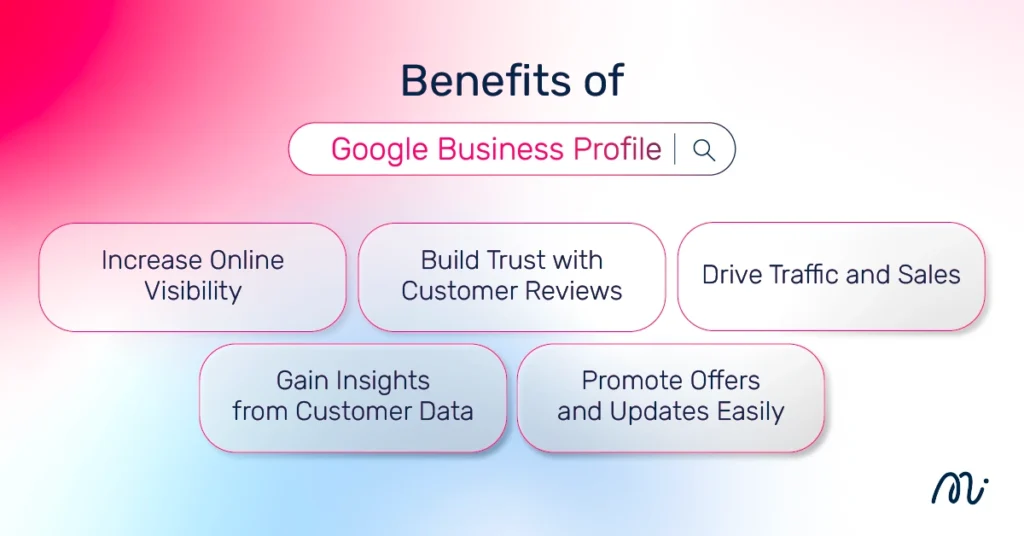
Before diving into the details, it’s important to understand why Google Business Profile matters. This tool helps increase visibility, build credibility, and reach more customers. Its benefits include:
Increase Online Visibility
Using Google Business Profile helps your business appear more prominently on Google Search and Google Maps—especially when you optimize it with Google business local SEO. This includes adding relevant keywords, keeping your information complete and up to date, and encouraging customer reviews. These factors improve your chances of showing up in local search results, making it easier for customers to find and discover your business.
Build Trust with Customer Reviews
Customer reviews play a key role in building trust and credibility for your business. When potential customers see positive feedback and high ratings, they are more likely to feel confident in choosing your products or services. Regularly responding to reviews—both positive and negative—also shows that you value customer feedback and care about their experience, helping strengthen your brand image and encourage more people to engage with your business.
Drive Traffic and Sales
Google Business Profile helps turn online searches into real traffic and sales by making it easy for customers to find your business, visit your location, or contact you directly. Features like directions, call buttons, and website links encourage immediate action.
However, if you’re facing issues like business not visible on Google, it can limit these opportunities. Optimizing your profile ensures your business appears in relevant searches, helping attract more potential customers and ultimately increasing conversions and revenue.
Gain Insights from Customer Data
Google Business Profile provides valuable customer insights that help you understand how people find and interact with your business. You can see search queries, how customers discovered your listing, and actions they take such as calls, direction requests, and website clicks. These insights allow you to analyze customer behavior, refine your marketing strategy, and make data-driven decisions to improve visibility and grow your business more effectively.
Promote Offers and Updates Easily
Google Business Profile allows you to share offers, promotions, and business updates directly on your listing, helping you keep customers informed and engaged. You can post about special deals, new products, events, or important announcements, making it easier to attract attention and encourage action.
However, if you’re experiencing issues like business not visible on Google, your updates may not reach potential customers. Keeping your profile active and optimized ensures better visibility, helping your promotions reach the right audience and drive more engagement.
Who Should Use Google Business Profile?
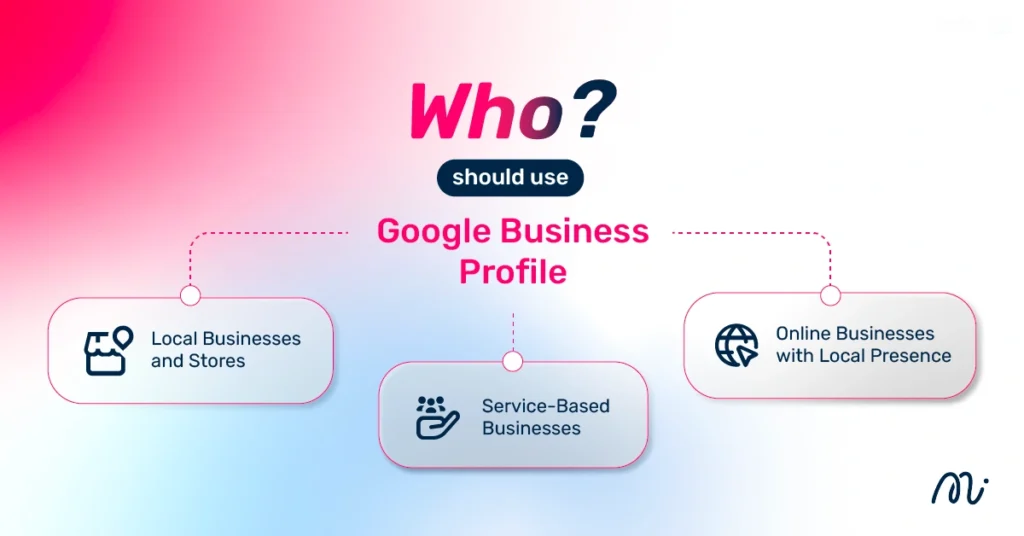
- Local Businesses and Stores: Ideal for businesses with a physical location like restaurants, cafés, or retail shops. It helps your business appear on Google Maps with key details, making it easier for nearby customers to find and visit you.
- Service-Based Businesses: Suitable for service-based businesses without a physical storefront. Google Business Profile helps customers find your services locally and contact you easily.
- Online Businesses with Local Presence: Suitable for online businesses targeting specific areas. A profile builds credibility and helps local customers find and connect with your business easily.
How to Create a Google Business Profile
There are setup steps and a verification process to ensure your business appears accurately and credibly on Google Search and Google Maps, as follows:
Step-by-Step Registration Guide
- Log into the Google Account you want to associate with your business (or create one if you don’t have it yet)
- Go to www.google.com/intl/en_us/business/ and click “Manage now”
- Enter your business name
- Choose your business type (online retail, local store, or service business)
- Select the most accurate business category
- Enter your business address
- Add your phone number (optional)
- Choose a verification method or select “Verify later”
Business Verification Process
Verification by postcard
- Sign in to your Google Business Profile and select the business you want to verify.
- Confirm that your business address is correct, and optionally add a contact name for receiving the verification postcard.
- Click “Mail” to receive your verification postcard (usually within 5 days). Avoid changing your business details during this time to prevent delays.
- Once you receive the postcard, log in to your Google Business Profile and select the business location to verify.
- Enter the five-digit verification code from the postcard and click “Submit.”
Verification by phone
- If you aren’t already logged into Google Business Profile, sign in and select the business you want to verify. (If you’re already logged in, you’ll go straight to the verification step.)
- Confirm that your phone number is correct, then choose “Verify by phone.”
- Enter the verification code sent to you via text.
Verification by email
- If you aren’t already logged into Google Business Profile, sign in and select the business you want to verify. (If you’re already logged in, you’ll go straight to the verification step.)
- Confirm that your email address is correct, then choose “Verify by email.”
- Open your inbox, find the email from Google Business Profile, and click the verification button.
Instant Verification
- Sign in to Google Business Profile using the same account you used to verify your business in Google Search Console.
- Note that some business categories aren’t eligible for instant verification. If you don’t receive a notification to verify your listing, you’ll need to use a different verification method.
Bulk Verification
- If you aren’t already logged into Google Business Profile, sign in and select a location. Click “Get verified” next to its name.
- Click “Chain.”
- Complete the verification form with your business name (and parent company if applicable), operating countries, all contact names, contact phone number, business manager email, and the email address of your Google Account Manager.
- Submit the form. Google may take up to a week to review and process your verification request.
Why Is My Profile Not Visible on Google Business?
There are several reasons why your business might not appear on Google Search or Maps. The main causes include:
Listing Not Verified
If your business hasn’t completed verification with Google Business Profile, your listing will not appear on Google Search or Maps, even if you’ve already created the profile. Verification is an essential step that confirms you are the legitimate owner or authorized representative of the business, ensuring that only verified businesses can be displayed to customers.
Without verification, your profile remains invisible, limiting your online visibility and preventing potential customers from finding or engaging with your business.
Incomplete or Incorrect Information
Missing or incorrect business details—such as your business name, address, phone number, website, or category—can prevent Google from displaying your listing properly on Search and Maps. Inaccurate or incomplete information can confuse potential customers, reduce trust, and lower your chances of appearing in local search results.
Providing complete, up-to-date, and accurate information is essential not only for visibility but also for helping customers easily find, contact, and engage with your business.
Suspension or Policy Violation
Your Google Business Profile may be suspended if it violates Google’s policies, such as providing false or misleading information, using a fake or incorrect address, or posting inappropriate or prohibited content. A suspended profile will not appear on Google Search or Maps, which can significantly impact your online visibility and customer reach. Carefully reviewing Google’s guidelines, correcting any violations, and submitting a request for reinstatement can help restore your listing and ensure it becomes visible and trustworthy to potential customers again.
Low Ranking or Competition
Even if your Google Business Profile is verified and all information is complete, your listing might still appear low in search results due to strong competition or low relevance. Google considers factors like proximity, relevance, and prominence when ranking local businesses. If competitors have more reviews, higher ratings, or better-optimized profiles, your business may be pushed down in the results, making it harder for potential customers to notice.

How to Fix Google Business Profile Not Visible
If your business isn’t appearing on Google Search or Maps, there are several steps you can take to resolve the issue. You can fix it by following these methods:
Complete and Optimize Your Profile
A partially filled or poorly optimized Google Business Profile can prevent your business from appearing prominently in search results. Completing all fields—including business name, address, phone number, website, hours, categories, and photos—helps Google understand your business and match it with relevant searches. Optimization also includes adding keywords, accurate descriptions, and high-quality images to improve visibility and attract more customers.
Verify Your Business Properly
If your business hasn’t been properly verified, your profile will remain invisible on Google Search and Maps. Verification confirms that you are the legitimate owner or authorized representative of the business. Using the correct verification method—by mail, phone, email, instant verification, or bulk verification—ensures your listing is activated and trusted by Google.
Improve Local SEO Signals
Even verified and complete profiles can rank low if local SEO signals are weak. Google considers factors like relevant keywords, backlinks, website authority, proximity, and user engagement when ranking local businesses. Optimizing your website and profile with location-specific keywords, structured data, and accurate business information helps improve rankings and visibility in local search results.
Get Reviews and Engagement
Customer reviews and engagement significantly impact your business’s visibility and credibility. Positive reviews, high ratings, and regular interaction with customers signal to Google that your business is trusted and active, improving local ranking. Encouraging customers to leave reviews, responding promptly, and posting updates or offers keeps your profile engaging and more likely to appear in search results.
Conclusion
If your business is not visible on Google, it’s usually due to issues like an unverified profile, incomplete or incorrect information, policy violations, low ranking, or strong competition. Ensuring your Google Business Profile is complete and optimized with accurate details, relevant categories, and high-quality images is essential. Proper verification confirms you are the legitimate owner, while improving local SEO signals boosts your ranking in search results. Encouraging customer reviews and engagement further increases trust and visibility.
At Minimice, we specialize in SEO and local business optimization, helping your Google Business Profile reach its full potential. As a recipient of the Google Premier Partner status and The Growth Champion award, we provide expert services including profile setup, verification, local SEO, review management, and performance tracking, ensuring your business is easily discoverable on Google Search and Maps. Regular updates and professional guidance can make your business stand out and attract more customers.
FAQs
How long does it take for a business to appear on Google?
After creating and verifying your Google Business Profile, it usually takes a few days up to two weeks for your listing to appear on Google Search and Maps. Factors like verification method, business category, and Google’s review process can affect the timing. Ensuring your information is complete and accurate can help speed up the process.
Why is my business not visible on Google Maps?
Your business may not appear on Google Maps due to reasons such as an unverified profile, incomplete or incorrect information, low ranking, or policy violations. Strong local competition or weak local SEO signals can also push your listing lower in search results. Completing your profile, verifying your business, and optimizing for local SEO can improve visibility.
Can I list my business without a physical location?
Yes, you can list a service-based business or online business without a storefront, as long as you serve customers in specific areas. Google allows you to specify the service area instead of a physical address. This helps your business appear in local searches while keeping your home or office address private.
What causes a Google Business Profile to be suspended?
A profile may be suspended if it violates Google’s policies, such as providing false information, using a fake address, keyword stuffing in the business name, or posting inappropriate content. Suspended listings are removed from search results until the issues are corrected and reinstatement is requested.
How can I improve my business visibility on Google?
You can improve visibility by completing and optimizing your profile, using accurate business information, uploading photos, selecting the right category, and adding relevant keywords. Proper verification ensures your profile is trusted. Boosting local SEO signals, encouraging customer reviews, and regularly posting updates also help your listing appear higher in Google Search and Maps, attracting more potential customers.
Do customer reviews affect my ranking on Google?
Yes, customer reviews have a significant impact on your Google Business Profile ranking. Positive reviews and high ratings signal to Google that your business is trusted and credible, which can improve your visibility in local search results. Responding to reviews, whether positive or negative, also shows engagement, which can further enhance your profile’s ranking and attract more customers.
Why is my business showing but not ranking well?
Even if your business appears on Google, it may rank low due to factors like strong local competition, low-quality or incomplete profile information, weak local SEO signals, or fewer reviews. Google prioritizes businesses that are relevant, prominent, and nearby. Optimizing your profile, improving local SEO, encouraging reviews, and regularly updating your listing can help improve your ranking and visibility.