


Key Takeaway
- On-page is the fastest win: Optimizing your titles, headers, and meta tags is the most immediate way to signal relevance to Google. It’s the low-hanging fruit that can trigger a ranking boost almost as soon as your site is re-crawled.
- Content must evolve with Search Intent: Static content fails in a dynamic market; you must regularly update your pages to match what users are currently looking for. If the intent shifts from Information to Comparison, your content needs to shift with it to stay relevant.
- Technical SEO is a non-negotiable foundation: No matter how great your writing is, a site that doesn’t load or can’t be indexed will never rank. Technical health ensures that Google’s bots can discover, understand, and reward your hard work without any friction.
- SEO recovery requires data, not guesses: Jumping from one random fix to another often does more harm than good. Use tools like Google Search Console to identify specific bottlenecks, then implement a structured plan and allow time for the results to manifest.
Ever felt like your website is a ghost town despite all your hard work? You’ve poured hours into your content, yet Google seems to be looking the other way. It’s frustrating, but you’re definitely not alone. Why Your Website Is Not Ranking on Google often comes from on-page issues, outdated content, technical SEO errors, or algorithm changes.
If you’ve been searching for answers, this guide explains the real reasons behind “why my website is not ranking” and how to fix it step by step. Let’s turn those rankings around and get your site the visibility it deserves.
Understanding Why Your Website Is Not Ranking
Think of your Google ranking not as a single score, but as a complex puzzle where every piece needs to fit perfectly. It’s rarely just one broken thing holding you back; instead, it’s usually a combination of factors—from hidden technical glitches to content that’s lost its spark.
To see real results, you must stop guessing and start analyzing your site in categories, such as technical health, content quality, and authority. By avoiding a random fix approach and identifying specific bottlenecks, you can apply the right solutions to finally climb back up the search results.
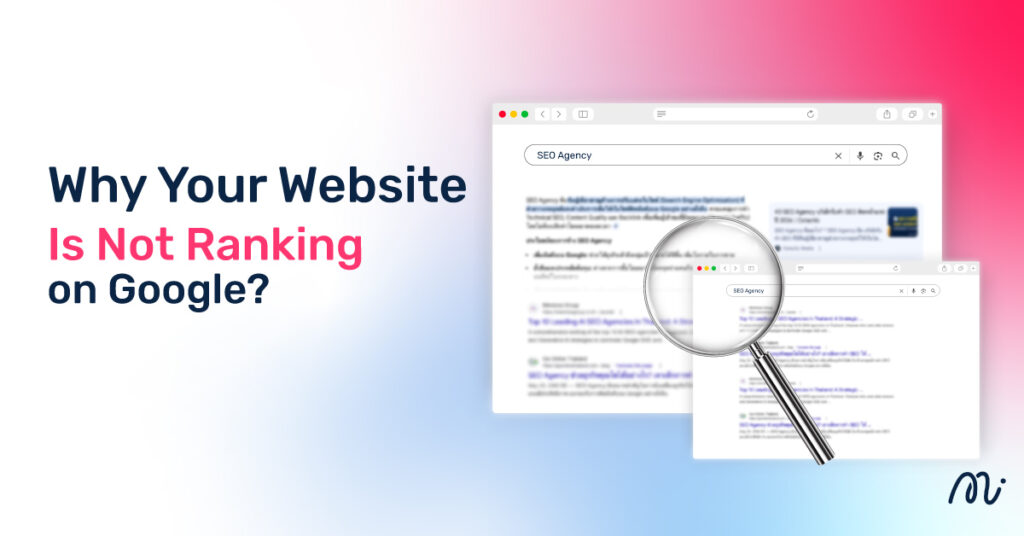
Why Your Website Is Not Ranking on Google?
Tip: Don’t try to fix everything at once. Start by auditing your Top 10 pages—these usually provide the highest ROI when their rankings are restored.
On-Page SEO Issues That Hurt Rankings
Outdated Title Tags and Meta Descriptions
First impressions matter, and in 2026, a title tag still mentioning “Best Strategies for 2024” is a massive red flag for users. Searchers crave freshness; if your metadata feels like a time capsule, your Click-Through Rate (CTR) will plummet. Google notices when users skip your link for a more current result, which eventually signals that your page is no longer relevant.
Matching Modern Search Intent
The way people search evolves. If a user types in a query looking for a comprehensive “How-to” guide, but lands on a thin Sales Page full of “Buy Now” buttons, they will bounce immediately. To rank well, your content type must align perfectly with the user’s Search Intent—whether they are looking to learn, to buy, or simply to find a specific website.
Strategic Keyword Placement and Content Integration
- Proper Keyword Density and Natural Flow: Gone are the days of keyword stuffing. Modern SEO requires integrating terms naturally so the text remains readable for humans while still being discoverable by bots.
- Optimizing Content Structures for Readability: Using clear Subheadings (H2, H3) isn’t just for aesthetics; it creates a roadmap that helps Google’s crawlers understand the hierarchy and context of your information.
Content Gap and Topical Authority
Sometimes you aren’t ranking simply because your competitors are providing more content. If your article is 500 words of surface-level info while the top-ranking site offers a 2,000-word deep dive with expert insights, Google will favor the Topical Authority. You need to identify the “Content Gap”—the specific questions your competitors answered that you missed.
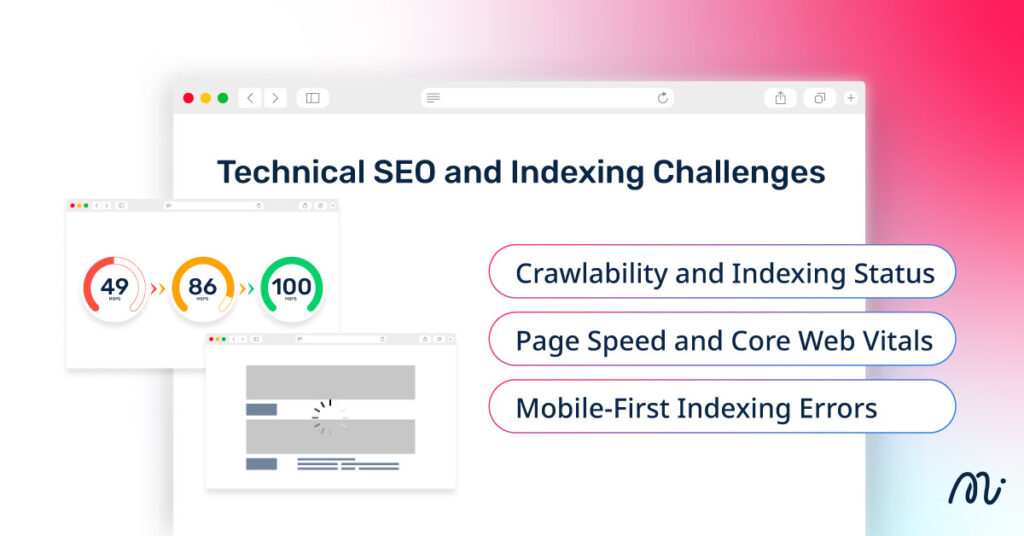
Technical SEO and Indexing Challenges
Tip: A “perfect” article will never rank if Google’s bots can’t find the front door. Technical SEO is the foundation that allows your content to be discovered and indexed.
Crawlability and Indexing Status
The most basic reason for a ranking disappearance is that the page isn’t in Google’s library at all. You should regularly check Google Search Console to see the “Index Coverage” report. If a page is marked as “Excluded” or “Crawled – currently not indexed,” Google has found the page but decided not to show it to users yet.
Page Speed and Core Web Vitals
In 2026, User Experience (UX) is a confirmed ranking factor. Google measures Core Web Vitals—a set of metrics that track how fast your content loads and how stable the page layout is. If your site is sluggish or jumps around while loading, users will bounce, signaling to Google that your site is low-quality.
Mobile-First Indexing Errors
Google now looks at the mobile version of your website as the primary version for ranking and indexing. If your desktop site looks beautiful but your mobile version has tiny buttons, unreadable text, or hidden content, your rankings will suffer across all devices.
- Common Errors: Content that is wider than the screen, clickable elements too close together, or intrusive interstitials (pop-ups) that block the mobile view.
- The Fix: Use a responsive design and always test new layouts using Google’s Mobile-Friendly Test to ensure the bot sees exactly what a smartphone user sees.
The Impact of Google Algorithm Updates
Google doesn’t stay still; it’s constantly refining how it evaluates content. In 2026, Core Updates occur several times a year (such as the recent February 2026 update), designed to reward sites that offer genuine value and Experience (E-E-A-T).
If your rankings suddenly drop across the entire site simultaneously, you likely haven’t been penalized, but rather the algorithm’s yardstick for quality has changed, and your competitors might now fit the new criteria better than you do.
How to Check if You’re Affected:
- Monitor the Timeline: Check the Google Search Status Dashboard to see if a Core Update rollout matches your traffic drop.
- Analyze Search Console: Compare your Performance data from the 14 days before the update to the 14 days after.
- Identify the Pattern: Did your whole site drop, or just specific topics? Global drops suggest a need for better site-wide authority, while specific drops usually point to content that needs a quality makeover.
The Power of Authority: Backlinks and E-E-A-T
Tip: In 2026, Google cares less about what is said and more about who is saying it. If you want to rank for competitive terms, you must prove you are a living, breathing expert in your field.
Experience, Expertise, Authoritativeness, and Trustworthiness (E-E-A-T)
Google uses the E-E-A-T framework to separate high-quality information from AI-generated noise. To boost your Trust score—the most critical pillar—ensure every article has a clear author bio highlighting real-world credentials and links to professional profiles.
Additionally, always cite verifiable sources (like industry studies or official data) to show Google that your content isn’t just an opinion, but a well-researched fact.
Quality vs. Quantity: The Current State of Backlinks
Backlinks remain a top-tier ranking factor, but the numbers game is over. In the current landscape, one link from a high-authority, niche-relevant site is worth more than a thousand links from random, low-quality blogs.
- The Reality: Google’s AI can now detect spammy link patterns instantly.
- The Fix: Focus on Topical Authority. Instead of buying cheap link packages, create linkable assets—such as original research, unique infographics, or deep-dive case studies—that industry peers will naturally want to reference and link to.
Step-by-Step Guide: How to Recover Your Rankings
Tip: SEO is a marathon, not a sprint. After making these fixes, allow 2 to 4 weeks for Google to re-crawl your pages and reflect the changes in the search results.
1. Audit with a Full Website Health Check
Before you start changing things, you need to know exactly what’s broken. Use professional tools like Google Search Console, Ahrefs, or Semrush to run a comprehensive site audit. This health check will highlight everything from broken links to missing metadata, giving you a clear roadmap of what needs your immediate attention.
2. Refresh with Content Freshness & Search Intent Alignment
Don’t let your best content rot. Go back to your high-traffic posts and update them for 2026. Refresh outdated statistics, add new expert insights, and most importantly, re-check the Search Intent. If the top-ranking results have shifted from “Tips” to “Video Tutorials,” you need to adapt your content format to match what users are currently looking for.
3. Technical Fix SEO-Critical Issues
Once you have your audit list, prioritize the deal-breakers.
- Fix 404 Errors: Redirect broken pages to relevant active ones.
- Optimize Core Web Vitals: Compress heavy images and clean up bulky Javascript to ensure your site loads in under 2.5 seconds.
- Check Robots.txt: Ensure you aren’t accidentally blocking Google from indexing your most important sections.
4. Closely Monitor SEO Performance
After implementing your fixes, keep a close eye on your data. Use the Compare feature in Google Search Console to track your progress week-over-week. Look for improvements in Average Position and Click-Through Rate (CTR). If a specific page still isn’t moving, it may need more high-quality backlinks or a deeper content rewrite to compete with the current leaders.
Conclusion
In summary, solving the mystery of “why my website is not ranking?” requires a holistic approach—from fixing technical roadblocks and aligning with modern search intent to building genuine E-E-A-T. Google’s algorithms in 2026 prioritize sites that are technically sound, mobile-friendly, and consistently fresh. By auditing your site for these critical gaps and monitoring your performance data, you can systematically climb back to the first page.
If navigating these SEO complexities feels overwhelming, let the experts handle it. Minimice Group offers comprehensive SEO services, including technical audits, high-quality content strategy, and data-driven link building. We help brands transform their digital presence and achieve sustainable growth through proven search engine optimization.
FAQs
Does social media activity really impact Google rankings?
Social media is not a direct ranking factor, but it creates a positive feedback loop. High engagement on social platforms drives traffic and brand mentions, which signals to Google that your content is valuable and increases the likelihood of earning natural backlinks.
How long does it take for Google to index a new page in 2026?
Typically, it takes anywhere from a few hours to a few days if your site has a healthy crawl budget and you submit the URL via Google Search Console. However, for brand-new domains without much authority, it can still take up to a week for a page to appear in search results.
Can I rank on Page 1 without high-quality backlinks?
Yes, but only for low-competition or long-tail keywords where your content is significantly better than everyone else’s. For competitive or high-volume terms, high-quality backlinks remain a vote of confidence that Google requires to rank you on the first page.
Is there a “Google Sandbox” period for new domains?
While Google doesn’t officially confirm a Sandbox, new domains often experience a probationary period of 3–6 months. During this time, Google is testing your site’s reliability and E-E-A-T before allowing you to rank for highly competitive keywords.
Why is my homepage ranking but my blog posts are invisible?
This often happens because your homepage carries the most internal authority and backlinks, while your blog posts might be buried too deep in the site structure. Ensure your blog is easily reachable within 2-3 clicks from the homepage and uses a strong internal linking strategy.
Are core web vitals and page speed still ranking factors in 2026?
Absolutely. In 2026, user experience is paramount, and Google uses Core Web Vitals to penalize sites that frustrate users with slow loads or shifting layouts. A fast, stable site is now considered the entry fee for ranking in the top positions.
Could a “noindex” tag be hidden in my website code?
Yes, it is a common technical error, especially after a site migration or update. You can find this by checking the <head> section of your HTML or using the URL Inspection tool in Google Search Console to see if the “noindex” directive is preventing Google from showing the page.
Why did Google drop my indexed pages suddenly?
A sudden drop usually points to a manual action, a technical crawl error, or a Core Update. If your content no longer meets Google’s latest quality standards or if you’ve introduced significant technical bugs, Google may de-index pages to protect the quality of its search results.
Is AI-generated content the reason why my website is not ranking?
AI content itself isn’t the problem, but low-effort, unedited AI content is. If your AI-generated text lacks Experience (the first ‘E’ in E-E-A-T) or fails to provide unique value beyond what’s already on the web, Google will prioritize more original, human-vetted content.
What is “Thin Content” and how do I fix it to improve rankings?
Thin content is a page that provides little to no value, such as very short articles, duplicate text, or pages with more ads than information. Fix this by pruning useless pages or expanding them into comprehensive guides that thoroughly answer the user’s search query.