


Key Takeaway
- When you see Google Ads not converting, the cause is usually inside the account, not the platform: wrong search terms, loose match types, broken tracking or a weak landing page.
- Check the search terms report first. It shows the searches that triggered your ads.
- If conversion tracking is missing or broken, Google is optimizing blind and you can’t tell good spend from waste.
- A short monthly Google Ads audit checklist catches most budget leaks before they get expensive. Google Ads is only a waste of money when nobody manages it. With clear goals and regular reviews, it remains one of the fastest ways to reach buyers who are ready to act.
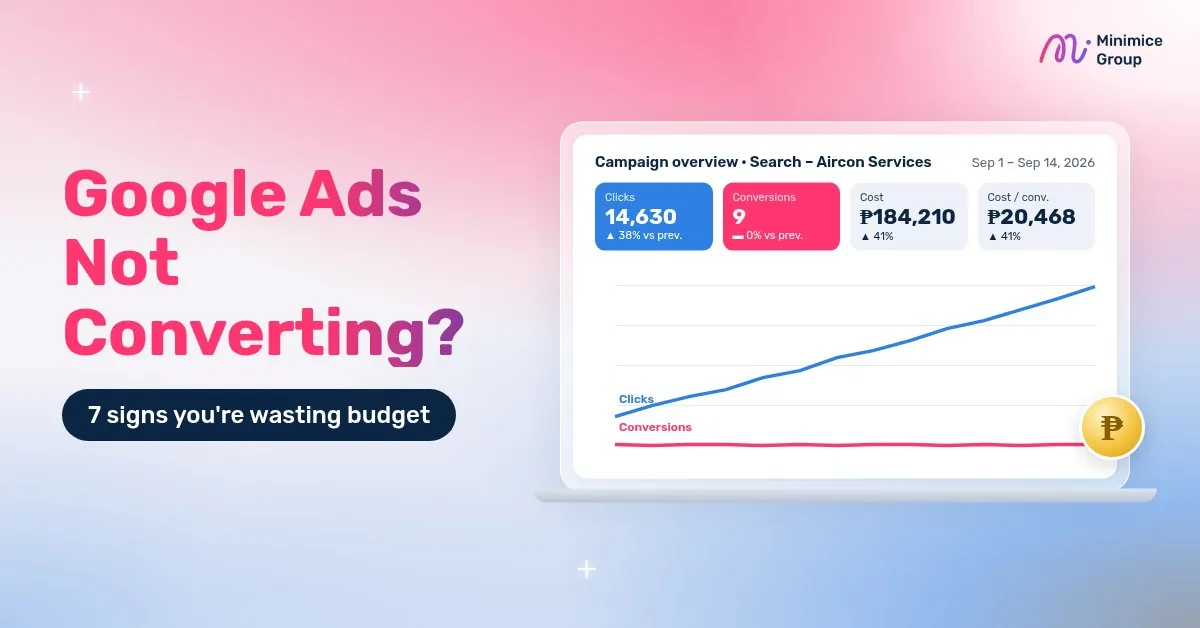
You launch a campaign, clicks start coming in and the daily budget runs down right on schedule, yet the phone stays quiet and the inquiry form sits empty. If that sounds familiar, you are in good company. Google Ads not converting is one of the concerns we hear most often from business owners and marketing managers across the Philippines.
Here’s the encouraging part: in most accounts we audit, the money isn’t vanishing without a trace. It slips out through a handful of predictable gaps, and each one can be found and closed. This guide covers the 7 signs your Google Ads are wasting budget, what each one looks like inside the account, which screens to open, and a monthly checklist you can run on your own. It will also help you decide when a fix is a quick DIY job and when it’s worth asking a specialist.
No fluff, just practical checks that actually move results.
Why Are My Google Ads Not Converting?
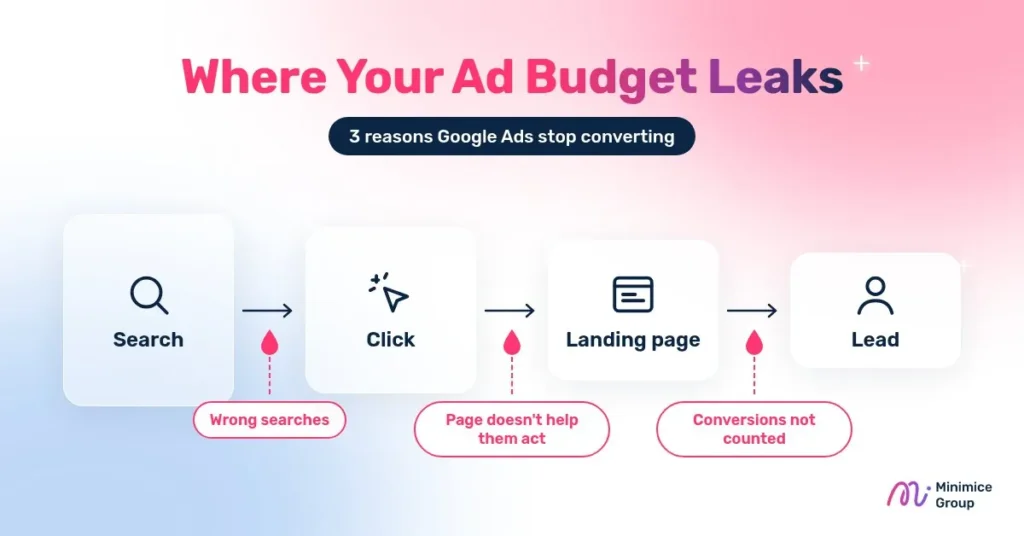
When Google Ads not converting turns into a pattern rather than one slow week, the cause usually falls into one of three groups: the wrong people are clicking, the right people reach a page that doesn’t help them take the next step, or conversions are happening but nobody is counting them.
- The wrong people are clicking: your keywords or match types let in searches that have little to do with what you sell, so you pay for curiosity instead of demand. A look at the search terms report usually confirms this within minutes.
- The right people can’t act: the ad promises one thing and the page delivers another, the page loads slowly on mobile, or the contact button is buried. Visitors leave even though they were good prospects.
- Nobody is counting: conversion tracking is missing, duplicated or broken. The account may look like it’s failing while leads are actually coming in, or look healthy when it isn’t.
A simple way to find your group is to work backward: confirm that tracking records a test lead, then check whether the searches in the search terms report match your services. If both look fine, the landing page is the most likely gap. If you’re wondering why your Google Ads are not working, start here, because nearly every issue in the next section belongs to one of these three groups.
7 Signs Your Google Ads Are Wasting Budget
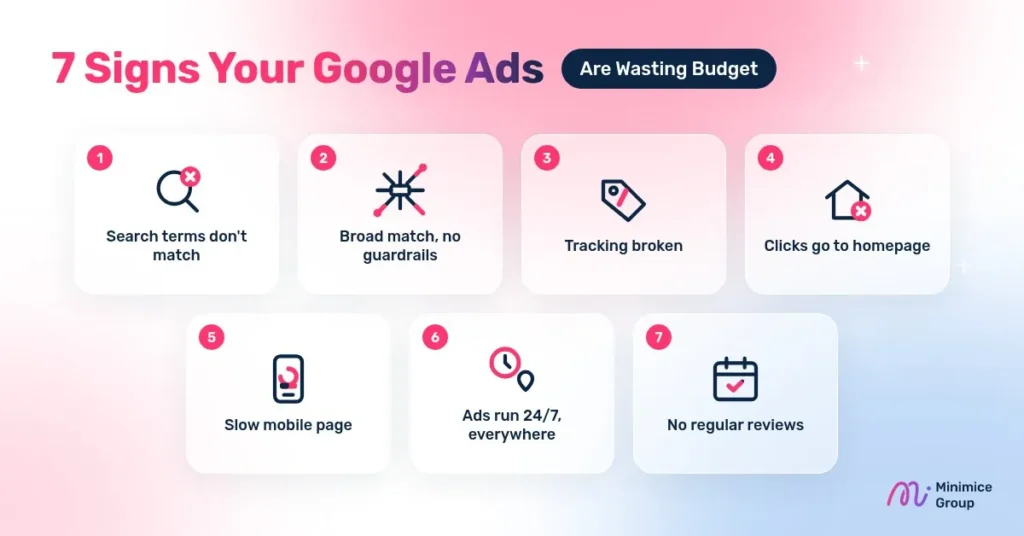
These are the signs our team checks first whenever an account is spending without delivering. You don’t have to tackle all seven at once. Pick the one that sounds most like your account, fix it, give the change a week or two to settle, then move on to the next.
1. Your Search Terms Don’t Match What You Sell
Your keywords and the searches you actually pay for are not the same thing. Google matches your keywords to real searches, and the search terms report shows the phrases people typed before your ad appeared and got clicked. Google leaves out terms with very little search activity for privacy reasons, but what remains is often eye-opening.
For example, a company that installs office aircon units might discover it is paying for searches like aircon repair DIY or aircon technician job hiring. Those people will never request a quote, yet every click still costs money.
- What to check: open Campaigns, then Insights and reports, then Search terms. Set the date range to the last 30 days, sort by cost, and work from the most expensive terms down.
- Red flag: searches with no buying intent, job seekers, competitor brand names you never planned to target, or services you don’t offer.
- Fix: add irrelevant words as negative keywords, and review the report every week while a campaign is new. As Google’s guide to negative keywords points out, negatives don’t match close variants, so add plurals and synonyms separately.
During each review, keep terms that match your services, add clearly irrelevant ones as negatives, and flag unclear ones to compare against lead quality next week.
2. Broad Match Is Running Without Guardrails
Match types control how closely a search has to relate to your keyword before your ad can show. In plain terms:
- Broad match can show your ad on searches related to your keyword, even ones that don’t contain your exact words.
- Phrase match shows your ad on searches that include the meaning of your keyword, with room for extra words around it.
- Exact match shows your ad on searches with the same meaning or intent as your keyword. It reaches the fewest searches but gives you the most control.
Broad match can uncover new customers, but it needs strong signals to learn from. Google’s own guide to keyword matching options describes Smart Bidding as critical when you use broad match. Without reliable conversion tracking, Smart Bidding and a solid negative keyword list, broad match tends to drift into loosely related searches.
- What to check: go to Campaigns, then Audiences, keywords, and content, then Search keywords, filter by match type, note which match types your top-spending keywords use, and see whether those keywords sit in campaigns with conversion-based bidding.
- Red flag: broad match keywords running on manual bidding or Maximize clicks, with no negative keyword list attached.
- Fix: start tighter. Use phrase or exact match for your core services, especially on a new account or a small budget. Once tracking is reliable and conversions arrive steadily, test broad match in a separate campaign so you can compare results side by side.
3. Conversion Tracking Is Missing or Broken
This is the most important sign on the list. If your Google Ads conversion tracking stops working and nobody notices, every decision after that point is a guess. Smart Bidding can’t learn what a valuable click looks like, and you can’t tell which keywords bring leads.
Google’s conversion measurement guide explains that you decide which actions count, such as a purchase, a sign-up or a phone call, and Google Ads uses that data for reporting and bidding.
- What to check: go to Goals, then Conversions, then Summary. Each conversion action should show the status Active.
- Red flag: statuses such as Misconfigured, Needs attention or weeks of Awaiting conversions, or a conversion that fires on every page view. Google’s conversion status troubleshooter explains that Misconfigured means recording has stopped entirely, while Awaiting conversions means nothing has been recorded in the last 7 days. Also watch for duplicates, for example the same form counted twice through Google Ads and GA4.
- Fix: track the actions that matter to your business, such as form submissions, calls from ads, and WhatsApp or Messenger clicks. Mark only real leads as primary conversions and keep softer signals as secondary.
To test a conversion yourself:
- Open your landing page in a fresh browser window and submit the form, place a call or tap the chat button the way a customer would.
- Use Tag Assistant to confirm that the Google tag fires on the right page or action.
- Return to the conversion summary later and confirm that the status and conversion count have updated.
If you see clicks but no Google Ads conversions at all for weeks, check tracking before you touch keywords, bids or budget.
4. Your Ads Send Clicks to the Homepage
Your homepage speaks to everyone, which means it rarely speaks clearly to the person who just clicked your ad. Someone who searched corporate event venue Makati wants to land on a page about corporate event venues in Makati, with a clear way to ask for a quote. This is called message match: what the ad says and what the page shows should line up.
A simple rule works well here: one page, one goal, one clear call to action. If an ad offers a free site inspection, the page should explain the inspection and make booking it easy, rather than asking visitors to browse your full list of services.
- What to check: the final URL of every ad and sitelink. In the Ads view, add the final URL column so you can scan them all in one place.
- Red flag: most ads point to the homepage, or to a page that doesn’t mention the service the ad promotes.
- Fix: send each ad group to the most relevant existing service page, and make sure the page headline repeats the promise in the ad. If you’d rather have a team handle this for you, see our Google Ads management service.
5. Your Landing Page Is Slow or Hard to Use on Mobile
Many of your buyers will search and click from a phone. If the page takes a long time to load, the form asks for too much, or the call button sits at the very bottom, people leave before they ever contact you.
PageSpeed Insights is a free Google tool that reports how a page performs on both mobile and desktop and lists specific suggestions for improvement. Paste in your landing page URL, review the mobile results first, and look at the Core Web Vitals assessment, which covers loading, responsiveness and visual stability.
- What to check: open your landing page on your own phone using mobile data, not office Wi-Fi, then run it through PageSpeed Insights.
- Red flag: you get impatient waiting, you have to pinch and zoom to read, or you can’t find a way to contact the business within a few seconds.
- Fix: shorten forms to the details you really need, such as name, company, contact number and what they need help with. Add tap-to-call and WhatsApp buttons near the top, and compress heavy images.
6. Your Ads Run 24/7 in Every Location
According to Google’s ad scheduling guide, campaigns are set to show ads all day by default. Location targets are also often left wide. That can work for some businesses, but if you only serve Metro Manila or only answer calls during office hours, you end up paying for clicks you can’t convert.
Two settings deserve a closer look. Ad scheduling lets you choose the days and hours your ads appear and raise or lower bids for specific times. Location options decide who counts as being in your area. Google’s location targeting guide describes Presence or interest as reaching people who are in, or have shown interest in, your target locations, and suggests Presence when you only want to reach people located there.
- What to check: your location settings, including whether you use Presence or Presence or interest, your ad schedule, and the When and where ads showed report.
- Red flag: spend from areas you don’t serve, or late-night clicks that never turn into leads.
- Fix: target only the areas you actually serve, for example Metro Manila or Cebu. If your service area is limited, consider Presence so your ads reach people who are physically there. Then lower bids or pause ads during hours when nobody can respond.
7. Nobody Reviews the Account Regularly
Google Ads is not a set-and-forget channel. Search behavior shifts, competitors adjust their bids, and Google keeps rolling out new automated features. An account that nobody checks slowly drifts away from what your business actually needs.
The change history tool lists changes made to your account, campaigns and ad groups over the past 2 years and maps them against performance, so you can see which edits may have helped or hurt. If you use auto-applied recommendations, open the Recommendations page and check the History tab to see what was applied for you.
- What to check: the change history. When was the last real change made, and by whom?
- Red flag: no changes in weeks, or recommendations applied automatically without anyone reviewing them.
- Fix: set a fixed monthly review using the checklist below, plus a quick weekly look at search terms and spend.
In each review, look at cost per lead and lead quality, not just clicks. Pause what clearly isn’t working and shift budget toward what is.
Google Ads Audit Checklist: What to Check Every Month
Use this Google Ads audit checklist once a month, working through the table from top to bottom. Start with conversion tracking, because every other check depends on accurate data, then move from who sees your ads, to where they land, to how much you spend. It catches most leaks before they get expensive.
| Check | Where to look | Red flag |
| Conversion tracking | Goals, then Conversions, then Summary | Status other than Active (for example Misconfigured or Awaiting conversions), or duplicate actions |
| Search terms | Insights and reports, then Search terms | Irrelevant, job-seeker or DIY searches eating budget |
| Negative keywords | Tools, then Shared library, then Exclusion lists (Negative keyword lists tab); Account settings, then Negative keywords | No list, or not applied to all campaigns |
| Match types | Campaigns, then Audiences, keywords, and content, then Search keywords; filter by match type | Broad match on manual or click-based bidding |
| Landing pages | Ads, then Final URL; test on your own phone | Homepage URLs, slow load, contact button hard to find |
| Location and schedule | Campaign settings; When and where ads showed report | Spend outside your service area or hours you can’t reply |
| Budget and changes | Campaigns view; Change history | Budget runs out early in the day, or no changes in weeks |
Tip: keep a simple log of what you changed, when and why. A shared spreadsheet with four columns (date, change, reason and result) is enough. Next month, you’ll know which change helped and which didn’t.
Is Google Ads a Waste of Money for Your Business?
Many business owners type google ads waste of money into Google after a disappointing first campaign. In most cases, though, the platform isn’t the problem. The setup is. Google Ads puts your business in front of people at the moment they search for what you offer, which few other channels can match.
Google Ads usually makes sense when:
- People already search for your service, for example IT support for small business Manila or corporate catering Quezon City.
- Each new client is worth enough to cover the cost of winning them.
- You can respond to leads quickly, ideally on the same day.
It may not be the right first step when:
- Nobody searches for what you offer yet. Awareness channels such as Facebook Ads may be a better place to start.
- Your website can’t take inquiries or doesn’t explain your service clearly.
- You need traffic that keeps working without ongoing ad spend. That’s where SEO fits.
Before you spend more, do a quick check on paper. Estimate what a new client is worth to you, then compare it with what you currently pay per lead and how many leads become clients. If the math doesn’t work even on paper, improve your offer, pricing or follow-up process before raising the budget.
Many businesses use both channels: ads for leads now, SEO for steady traffic over time. If you’re weighing the two, read our guide on SEO vs Google Ads.
When Should You Get a Professional Google Ads Audit?
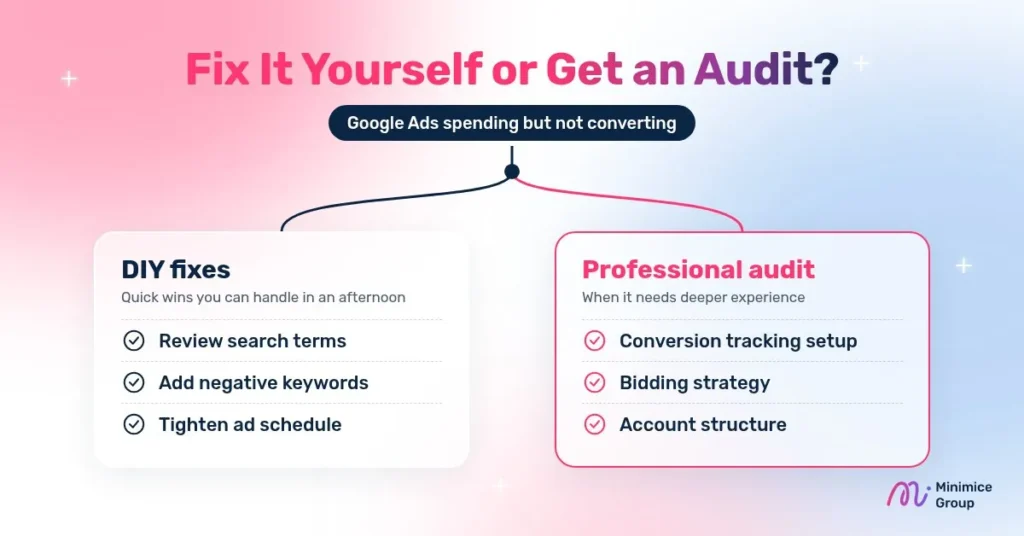
Some fixes above take an afternoon. Others call for hands-on experience with bidding, tracking setup and account structure. Consider a professional audit when:
- You’ve spent several months on ads and still can’t say which keywords bring leads.
- Conversion tracking needs Google Tag Manager, GA4 or call tracking work that you’re not comfortable doing.
- Your cost per lead keeps rising and the usual fixes haven’t helped.
- You took over the account from a previous agency or freelancer and aren’t sure how it was set up.
- Your team doesn’t have time for weekly and monthly reviews.
In our audits, the issues we run into most often are the ones covered in this guide: conversion actions that stopped recording after a website update, broad match keywords running without negatives, and ads that still point to the homepage. None of them are unusual, and most can be fixed once someone spots them.
A good audit should show you exactly where budget is leaking and what to fix first, in plain language. Expect a prioritized list of issues, the reason each one matters, and clear next steps you can act on with or without an agency. If you’re comparing agencies, our guide to choosing a Google Ads agency in Manila covers the questions to ask before you sign.
Fixing Google Ads Not Converting
Google Ads not converting is rarely down to bad luck. In most accounts it traces back to the same handful of fixable leaks covered above. Fix tracking first, then tighten who sees your ads and where they land, and keep the monthly checklist going so new leaks don’t build up.
Want a second pair of eyes on your account?
Minimice is a Google Premier Partner team in Manila. We’ll review your Google Ads account, show you where budget is leaking and what to fix first, in plain language. Get a free Google Ads account review or message us on WhatsApp.
FAQ: Google Ads Not Converting
Why are my Google Ads getting clicks but no conversions?
Usually the clicks come from the wrong searches, or the landing page doesn’t help people act. Check the search terms report for irrelevant searches, make sure the ad sends people to a matching service page, and confirm conversion tracking is actually recording.
Why is my Google Ads conversion not tracking?
The most common causes are a missing or misplaced tag, a thank-you page that changed, a form that no longer redirects, or a conversion action showing Misconfigured. Use Google Tag Assistant to test, then check the status in Goals, then Conversions, then Summary.
Why are my Google Ads not working anymore?
If performance dropped suddenly, look at recent changes first: budget, bids, auto-applied recommendations, website updates, or a tracking tag removed during a redesign. Also check for new competitors and seasonal shifts in demand.
What should a Google Ads audit checklist include?
At minimum: conversion tracking status, search terms and negatives, match types, final URLs and landing page speed, location and schedule settings, budget pacing, and the change history. The table above covers all of these.
Is Google Ads a waste of money for small businesses?
Not when it’s set up and reviewed properly. Small businesses can start with a focused budget on high-intent keywords in the areas they serve. It becomes a waste when it runs unmanaged, without tracking or regular reviews.